Streaming the 2026 World Cup at Home: What Your Internet Actually Needs
Don't let buffering ruin the experience

Jun 5, 2026 | Share 


Featured, Industry Exclusive/Entertainment, Internet Buying Guides, Sponsored
This article is sponsored by Spectrum.
To watch the FIFA World Cup 2026™ games on FOX, you need speeds of 5Mbps to 25Mbps per device. You also need a reliable internet connection to get the best FIFA World Cup 2026™ watch party experience possible.
Spectrum Internet® is the best connection you can get to watch the games. It’s powered by a fiber network and delivers that connection to your home via a hardwired fiber or coaxial line, providing the consistent, high-speed performance needed to stream every World Cup match in 4K.
You don’t need a lot of speed to watch FIFA World Cup 2026™
The exact amount of speed you need to watch the FIFA World Cup 2026™ games depends on two things: the source and the number of devices you use simultaneously to stream the games.
How much speed you need from the source
The FOX TV network typically broadcasts content in 720p, which requires a speed between 4Mbps and 5Mbps, depending on the framerate (30fps vs. 60fps). However, there have been instances, like with Super Bowl LX, when FOX captured the game in 1080p, but upscaled the resolution to 4K HDR, increasing the speed you need to around 15Mbps.
According to FOX Sports, FOX One will stream every match in 4K, but the service costs $19.99 per month. Most major pay TV providers will also air the games in 4K. The speed you need to stream games in 4K range from 15Mbps to 25Mbps.
Telemundo’s broadcast resolution depends on your location, ranging from 480i to 1080i. The maximum bitrate for the highest resolution is around 18Mbps.
But there’s more to watching the FIFA World Cup 2026™ games than the speeds you need for the broadcast type. Your total speed requirement also depends on the number of devices connected to your home network that stream the games simultaneously.
How much speed you need to stream simultaneously
As an example of the combined speeds you need to watch the World Cup games, let’s assume one household uses three devices:
- One streaming media box in the kitchen, so the party host can watch the games while they prepare food
- One Smart TV in the living room, where guests scatter popcorn everywhere while they watch the games
- One Smart TV in the antisocial teen’s bedroom, where they watch in solitude and roll their eyes at the noise
Now, let’s examine the amount of bandwidth three devices need to watch the games simultaneously:
| Resolution | Combined speed |
|---|---|
| 720p (HD) | Up to 15Mbps |
| 1080p (Full HD) | Up to 60Mbps |
| 2160p (4K) | Up to 75Mbps |
A 100Mbps internet plan can easily handle three devices streaming the World Cup games in 4K simultaneously.
But in reality, you probably have far more devices than that accessing the internet while you watch.
How to declutter your Wi-Fi freeways for better viewing
A single household can have up to 40 internet-connected devices, if not more, ranging from smartphones to laptops to game consoles to smart thermostats. All of these devices access the internet throughout the day, whether you’re actively using them or not—even while you stream the World Cup games.
There are several things you can do to reduce network congestion and video buffering while you watch the World Cup games. Take a look:
- Disconnect or switch off all unnecessary devices, like tablets and laptops you never use
- Set your World Cup streaming devices to High Priority in the router (if available)
- Set operating system, app, and device updates to download and install after midnight
We suggest using a wired connection to watch the FIFA World Cup 2026™ games on a media streaming box, like the Xumo Stream Box, or a Smart TV.*
However, if you plan to use Wi-Fi to watch the games, there are some things you need to consider.
* See Xumo Stream Box disclaimer.
.
Wi-Fi can be your FIFA World Cup 2026™ streaming bottleneck
Wi-Fi can bottleneck your speeds when watching the World Cup due to the following:
- The router or mesh system design
- Your streaming device’s configuration
- The distance between your streaming device and the closest access point
- The distance between access points (for mesh systems)
Wi-Fi routers and mesh systems divide data into streams and broadcast them over the air. Many routers and mesh systems use four streams per band—the configuration depends on the model.
Most of the Wi-Fi devices we use support two streams each way, so while a single router can support a hundred or so devices, it can only communicate with a specific number of your devices simultaneously each second.
Smart Connect can be a problem
If you are trying to watch the games on three Wi-Fi devices, two should be on one band, and one should be on another. Unfortunately, most routers and mesh systems are configured with Smart Connect enabled, meaning the router and devices choose the best connection for you.
If you’re tech savvy, we suggest disabling Smart Connect and creating up to three separate Wi-Fi networks, so you can choose the best connection for the devices you’re using to watch the World Cup games.
Use the 6 GHz and 5 GHz bands to stream video. Do not use the 2.4 GHz band to stream video, given it’s the slowest and most crowded Wi-Fi space of the three.
Distance and obstructions reduce your Wi-Fi speeds
Wi-Fi signals degrade over distance, as do the speeds. A single device may see the full speed of a 100Mbps internet plan at close range, but only 80Mbps at 20 feet away. That’s still plenty of speed for three devices to stream the games in 4K simultaneously, as long as they’re not interfering with each other.
Of course, floor plans aren’t always the same. One device in one home may record 80Mbps out of 100Mbps at 20 feet away from a router, while a device in a different home may record 50Mbps due to obstructions.
However, the more speed you inject into a router or mesh system, the more speed you get at long range. Having a fast plan is especially important for mesh systems, as you want a fast wired-like “backroad” for sending data between the mesh units.
To get the best speeds at a long range, you need an internet plan that’s faster than what you need to stream the World Cup games at close range. In other words, if you want Wi-Fi speeds of 100Mbps at 40 feet, you need a plan that’s faster than 100Mbps.
You also need a modern Wi-Fi router or mesh system and compatible devices to get the best streaming experience possible.
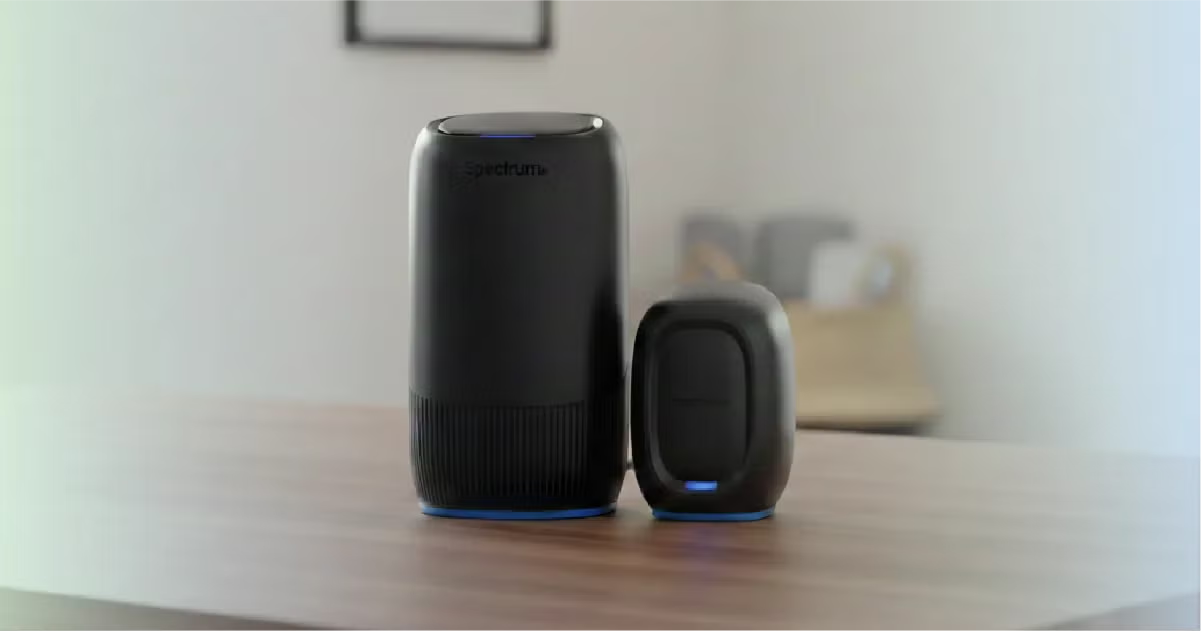
Spectrum’s Advanced WiFi service pairs that broadband backbone with a Wi-Fi 7 router built to deliver full-speed performance to multiple 4K streaming devices at once. For homes where a dropped connection mid-match isn’t an option, Invincible WiFi™ adds automatic cellular backup, keeping your stream live even if your internet goes out.*
That said, pair one of these routers with Spectrum’s speedy and reliable internet, and you shouldn’t have any issues watching the games at any location in your home.
In summary, here’s how to get the best viewing experience if you’re using Wi-Fi:
- De-clutter your home network
- Use the 6 GHz (preferred) or 5 GHz band
- Consider a mesh setup to dodge speed-reducing obstructions
- Get an internet plan with more bandwidth than you need for the best long-range speeds
Spectrum Internet has the speeds you need to watch FIFA World Cup 2026™
We established that three devices need at least 100Mbps to stream the FIFA World Cup 2026™ games in 4K. We also stated that you need additional bandwidth for all the other devices connected to your network.
But to have fast speeds at a long range, you need more than the minimum required to stream the World Cup games at close range. Households with very few devices can get by with a 100Mbps plan. The 500Mbps plan is best for most homes, while the faster plans are ideal for mesh systems and downloading files fast from a distance.
All Spectrum Internet plans include no data caps and no annual contracts, so there are no overage charges or throttling to interrupt your streaming across the full tournament.
All Spectrum Internet® plans and pricing
| Get the plan | Your price* | Download speed |
|---|---|---|
| Spectrum Internet® Advantage | $30/mo. for 1 year | Up to 100Mbps (wireless speeds may vary) |
| Spectrum Internet® Premier | $40/mo. for 1 year | Up to 500Mbps (wireless speeds may vary) |
| Spectrum Internet® Gig | $60/mo. for 1 year | Up to 1,000Mbps (wireless speeds may vary) |
| Spectrum Internet® 2 Gig | $70/mo. for 1 year | Up to 2,000Mbps (wireless speeds may vary) |
* Availability and speed may vary by location, and prices are subject to change. See Spectrum Internet disclaimers.
Some Spectrum TV® plans include FOX One
If you’re currently not a Spectrum customer, you can bundle Spectrum Internet with Spectrum TV to get a two-year discount on internet. Three out of five Spectrum TV plans include FOX One (a $19.99 monthly value), which you need to watch the FIFA World Cup 2026™ games in 4K.
All Spectrum TV plans and pricing
| Get the plan | Your price* | Channels | FOX One included |
|---|---|---|---|
| Spectrum TV® Stream | $40/mo. | 85+ | No |
| Spectrum TV® Select Signature | $100/mo. for 1 year | 150+ | Yes |
| Spectrum TV® Select Plus | $110/mo. for 1 year | 160+ | Yes |
| Spectrum TV® Select Platinum | $145/mo. for 1 year | 230+ | Yes |
| Spectrum TV® Stream Latino | $25/mo. | 45+ | No |
| Spectrum TV® Mi Plan Latino | $75/mo. for 1 year | 170+ | No |
* Availability may vary by location, and prices are subject to change. See Spectrum TV disclaimers | FOX One disclaimer.
Score the best experience with a great internet plan and speedy Wi-Fi
While you basically don’t need a lot of speed to simultaneously stream the FIFA World Cup 2026™ games in 4K on three devices, you need to consider an internet plan that supports all your connected devices and fast speeds over long distances. Since most of us stream content using Wi-Fi devices at different locations in a home, both your plan and your home equipment need to be aligned for the best FIFA World Cup 2026™ watch party possible.
Spectrum Internet Premier with Advanced WiFi is ideal for the average home with a multitude of devices. It has more than the bandwidth you need to watch the FIFA World Cup 2026™ games simultaneously on at least three devices.
FAQ about watching the FIFA World Cup 2026™ games
When do the FIFA World Cup 2026™ games take place?
The FIFA World Cup 2026™ games take place from June 11 to July 19, 2026.
Where can I watch the FIFA World Cup 2026™ games?
You can watch the FIFA World Cup 2026™ games using the following services:
- DIRECTV Stream
- FIFA+
- FOX
- FOX One
- FOX Sports App (via TV provider; mobile only)
- Fubo Sports
- Hulu + Live TV
- Peacock (in Spanish)
- Spectrum TV
- Telemundo
- Tubi (Opening ceremony, Mexico versus South Africa, U.S. Men’s National Team versus only)
- Universo
Can I watch the FIFA World Cup 2026™ games in 4K?
You can watch the FIFA World Cup 2026™ games in 4K through FOX One and pay TV services.
What is the FIFA World Cup 2026™ schedule?
Select the PDF document link below to see the full FIFA World Cup 2026™ schedule:
How much speed do you need to watch the FIFA World Cup 2026™ games?
Three devices that simultaneously stream the FIFA World Cup 2026™ games in 4K need an internet plan of at least 100Mbps. You also need extra bandwidth for all the other devices you’re not using, so they don’t interfere with your streaming.
Spectrum Internet plans range from 300Mbps to 2,000Mbps, all with no data caps, so you can choose the tier that fits your household without worrying about overage charges through the final.
But keep in mind your long-range viewing—the faster the plan, the more speed you get at a long range.
What are the best devices for watching the FIFA World Cup 2026™ games?
We suggest devices wired with Ethernet to watch the FIFA World Cup 2026™ without issues. If you must use Wi-Fi to watch the games, then Wi-Fi 7 is your best connection. Here are the maximum speeds most Wi-Fi devices support today:
| Spec | Max rated speed | Best bands for speed |
|---|---|---|
| Wi-Fi 7 | 5,764Mbps | 6 GHz, 5 GHz |
| Wi-Fi 6E | 2,402Mbps | 6 GHz, 5 GHz |
| Wi-Fi 6 | 2,402Mbps | 5 GHz |
Plans disclaimers
Spectrum Internet plans
All plans — Limited time offer; subject to change; new residential customers only (no Spectrum services within past 30 days) and in good standing with Spectrum. Service activation fee required; taxes extra in select states. SPECTRUM INTERNET: Standard rates apply after promo period. Additional charge for installation. Speeds based on wired connection. Actual speeds (including wireless) vary and are not guaranteed. Capable modem required for all Gig speeds. For a list of capable modems, visit Spectrum.net/modem. Services subject to all applicable service terms and conditions, subject to change. Not available in all areas. Restrictions apply. ©2026 Charter Communications, all rights reserved. Internet Performance: Spectrum Internet® is powered by fiber and connected to the premises by coaxial lines.
Internet Gig | Internet 2 Gig — Spectrum Advanced WiFi included in price.
Internet 2 Gig — Invincible WIFI included in price.
Spectrum TV plans
Select Signature | Select Plus | Select Platinum | Mi Plan Latino — Limited time offer; subject to change; new residential customers only (no Spectrum services within past 30 days) and in good standing with Spectrum. SPECTRUM TV: Price and surcharges subject to change. Streaming apps included in qualifying Spectrum TV plans for residential customers only. TV equipment may be required, charges apply. Channel availability based on level of service and not all channels available in all markets or locations. All trademarks are the property of their respective owners. Services subject to all applicable service terms and conditions, subject to change. Services not available in all areas. Restrictions apply.
Stream | Stream Latino — Limited time offer; subject to change; new residential customers only (no Spectrum services within past 30 days) and in good standing with Spectrum. SPECTRUM TV STREAM/SPECTRUM TV STREAM LATINO: Price subject to change. Spectrum Internet required. Channel availability based on level of service and not all channels available in all markets or locations. Additional equipment may be required to access PEG channels. Services subject to all applicable service terms and conditions, subject to change. Services not available in all areas. Restrictions apply. ©2026 Charter Communications, all rights reserved.
INVINCIBLE WiFi™
Restrictions apply. Available to Spectrum Internet customers with a compatible Spectrum router and select internet plans. Cellular backup activates automatically during a Spectrum Internet or power outage. Cellular backup may only be used at the service address of record and during an internet or power outage; use of cellular backup at another location or outside of an internet or power outage may result in immediate suspension or disconnection of the service. Cellular signal and connectivity vary by location and network conditions, coverage not available in all areas. A fully charged battery backup provides up to 8 hours of power. Cellular speeds reduced after 100GB/month. Actual speeds vary and are not guaranteed.
FOX One
FOX One included with qualifying plans. This may not replace any existing subscriptions; those must be managed separately. Services subject to applicable terms and conditions.
XUMO STREAM BOX
XUMO STREAM BOX: Separate subscriptions are required to view content through various paid applications. Xumo Stream Box and all other Xumo product names, logos, slogans and marks are the trademarks of Xumo or its licensors. ©2026 Charter Communications, all rights reserved.
Author - Kevin Parrish
Kevin Parrish has more than a decade of experience working as a writer, editor, and product tester. He began writing about computer hardware and soon branched out to other devices and services such as networking equipment, phones and tablets, game consoles, and other internet-connected devices. His work has appeared in Tom’s Hardware, Tom's Guide, Maximum PC, Digital Trends, Android Authority, How-To Geek, Lifewire, and others. At HighSpeedInternet.com, he focuses on network equipment testing and review.
Editor - Jessica Brooksby
Jessica loves bringing her passion for the written word and her love of tech into one space at HighSpeedInternet.com. She works with the team’s writers to revise strong, user-focused content so every reader can find the tech that works for them. Jessica has a bachelor’s degree in English from Utah Valley University and seven years of creative and editorial experience. Outside of work, she spends her time gaming, reading, painting, and buying an excessive amount of Legend of Zelda merchandise.
Related Posts