Best Gaming Wi-Fi Routers Tested and Reviewed 2026
We tested a handful of gaming routers to see which is the best your money can buy

Sep 22, 2026 | Share 


Best Routers, Home Networking
Best for budgets
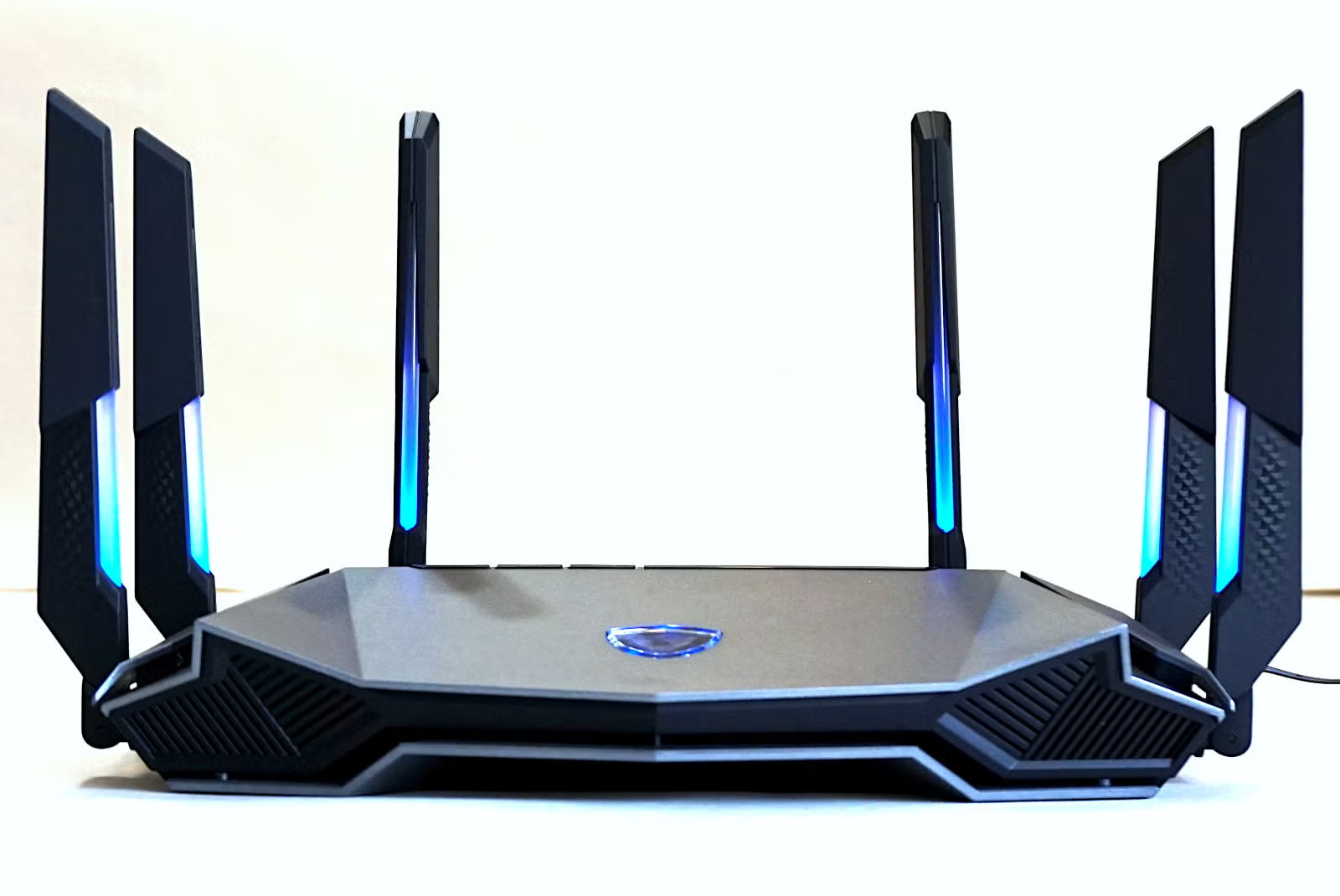
MSI RadiX GRAXE66
MSI RadiX GRAXE66
Max internet speed
2,350Mbps
Best for speed
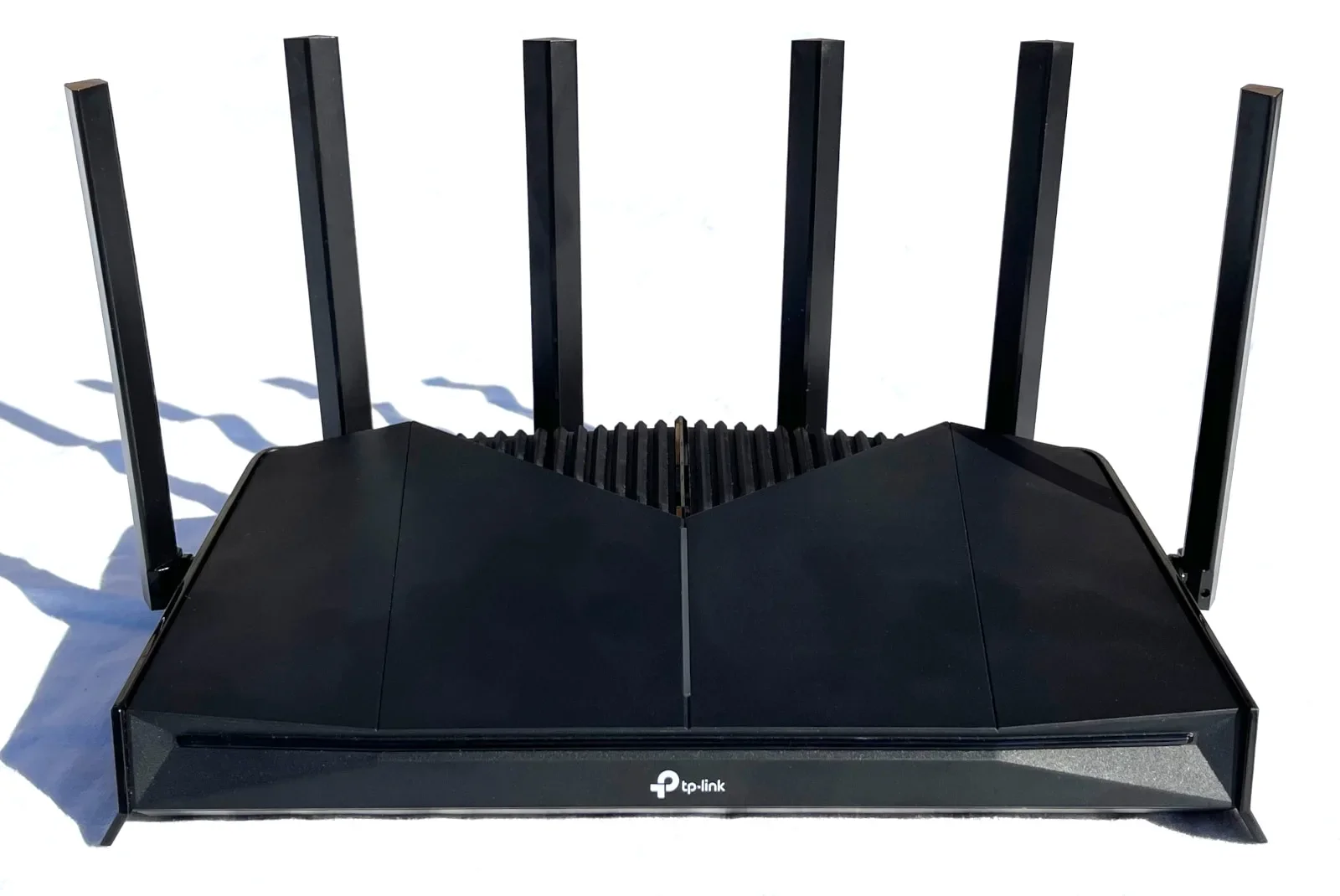
TP-Link Archer GE400
TP-Link Archer GE400
Max internet speed
2,350Mbps
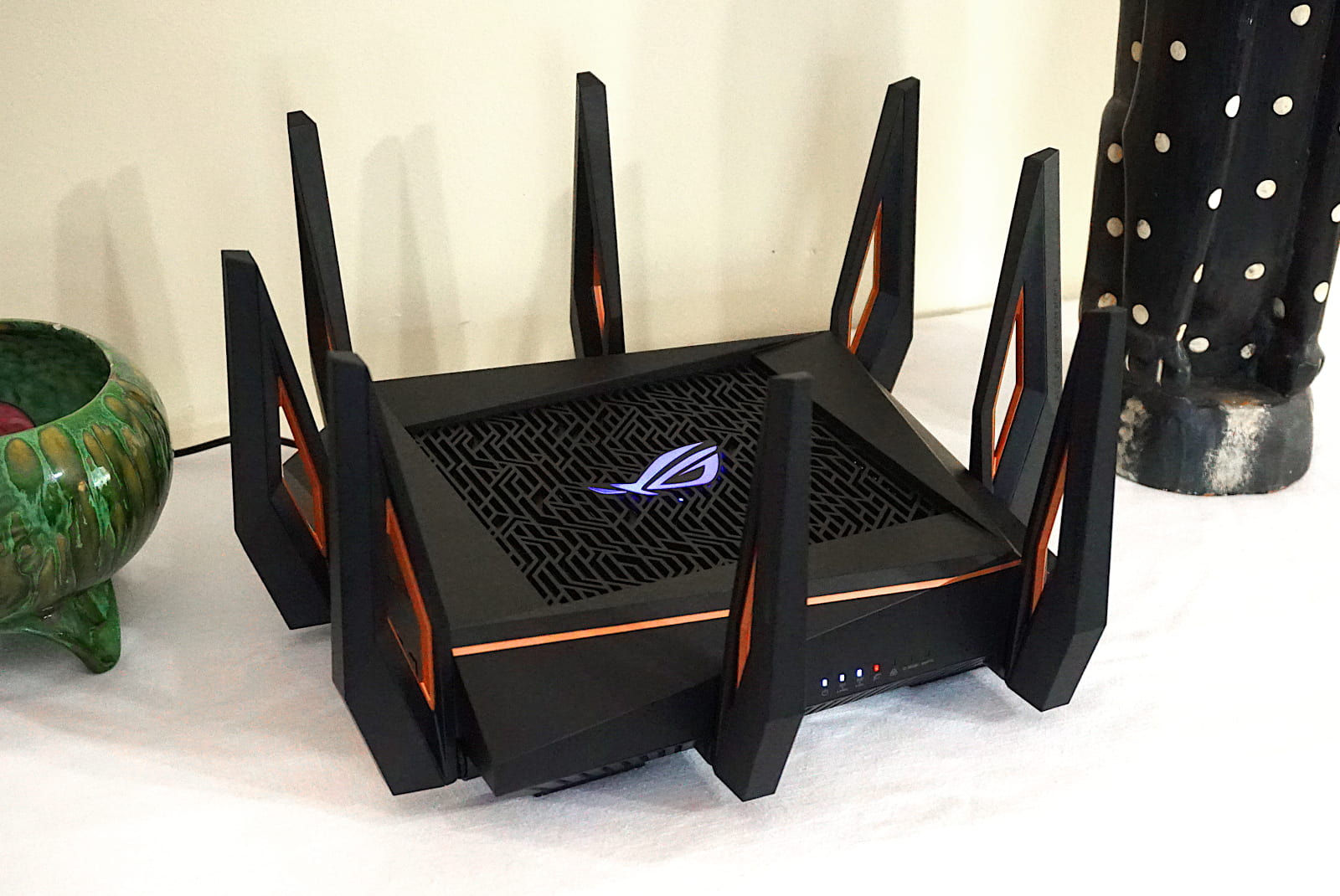
Best for features
ASUS ROG Rapture GT-AX11000
ASUS ROG Rapture GT-AX11000
Max internet speed
2,350Mbps
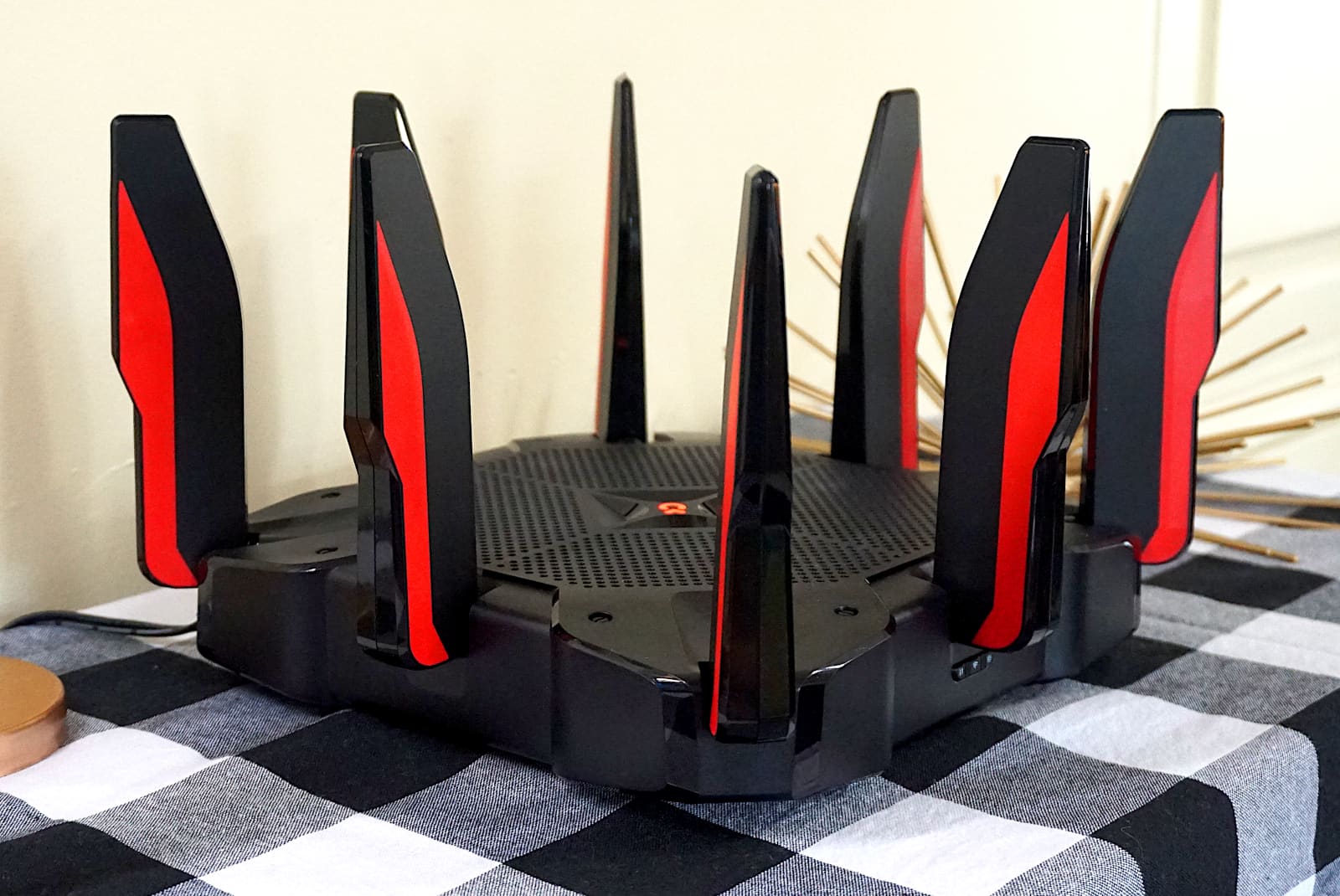
Best for wired
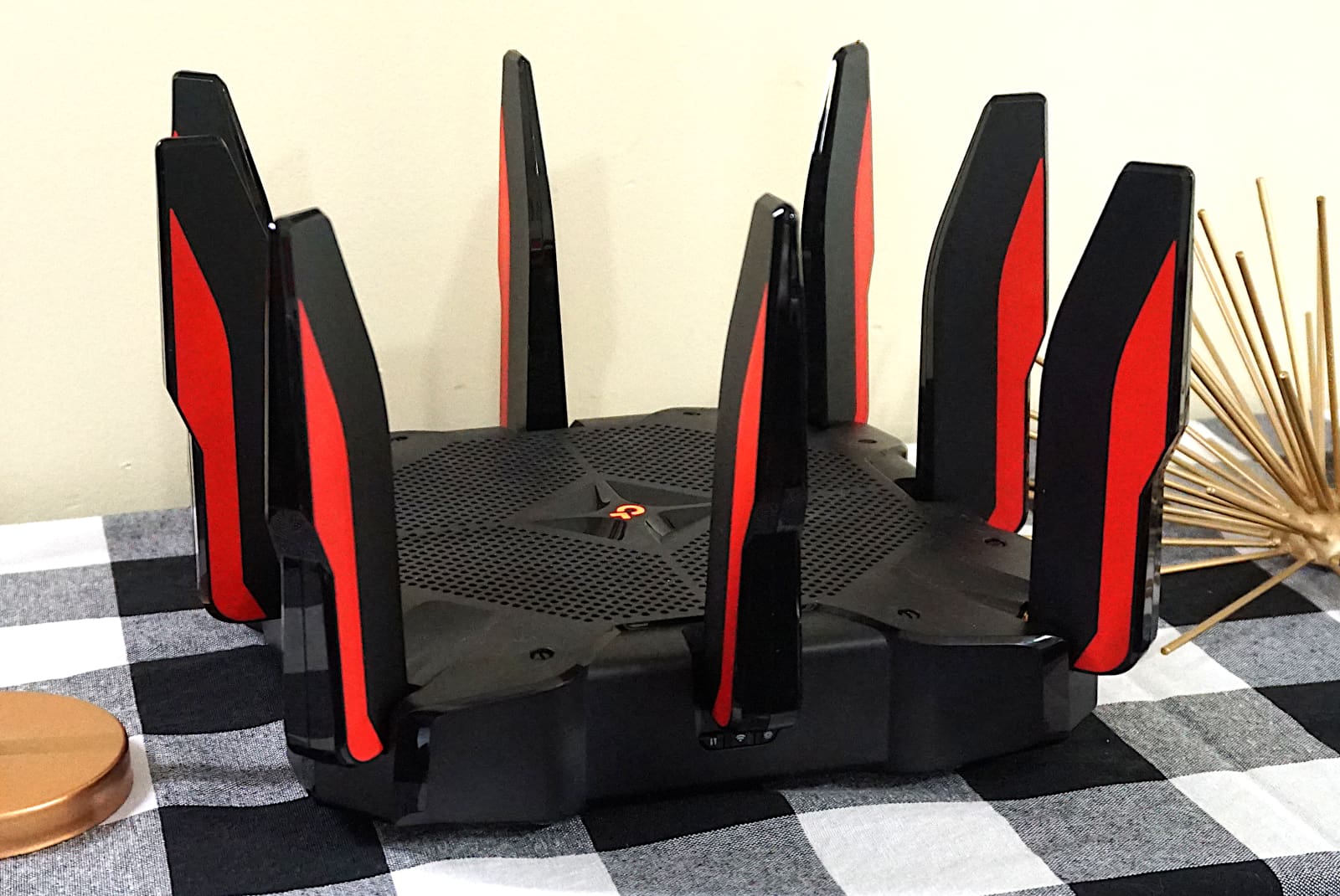
TP-Link Archer AX11000
TP-Link Archer AX11000
Max internet speed
2,350Mbps
* Read Amazon disclaimer.
Best gaming Wi-Fi routers in a nutshell
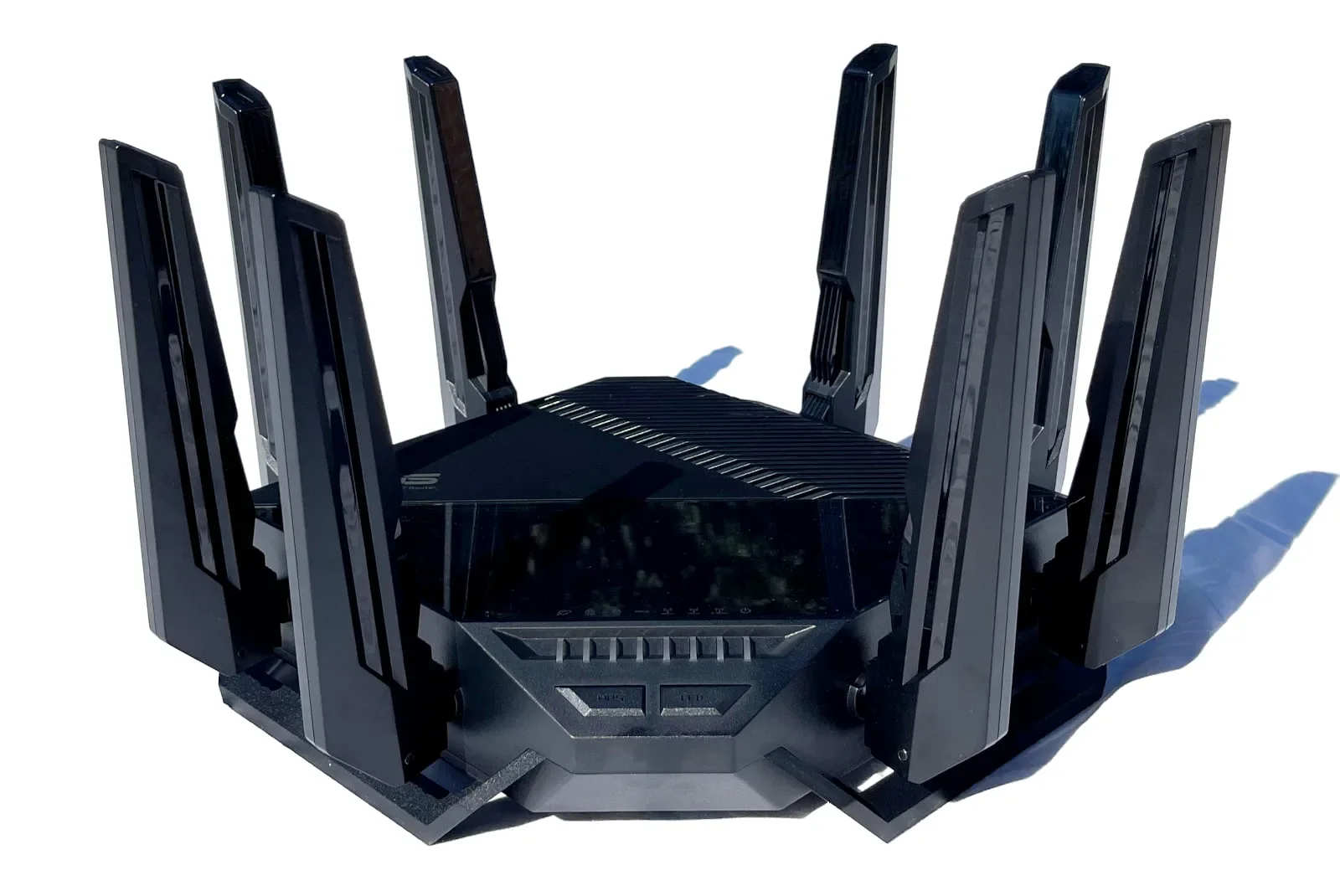
The ASUS RT-BE96U is our top pick router for gaming, even though it’s not a gaming router. It checks all the right boxes in our book: superfast speeds at long range, 10Gbps wired connectivity, and loads of free features. The TP-Link Archer GE400 is the only other new gaming router on our list, while the others are oldies but still goodies.
In this roundup:
Best overall | Best for budgets | Best for speed | Best for features | Best for wired | Compare benchmarks | Compare specifications | Providers with compatible plans | Other gaming routers
In this roundup:
Best overall
Pros
 Free security tools
Free parental controls
Cons
 Proprietary mesh tech
High price tag
What we like about it
The RT-BE96U isn’t a gaming router, but it’s our favorite router to date and great for gaming anyway. It’s packed full of long-range speed and free goodies like security features and 10Gbps wired connectivity.
What we wish it did better
The RT-BE96U uses proprietary mesh technology for the best compatibility, but we’d rather see EasyMesh so it can create a mesh network with other off-brand routers.
Why we recommend it
The RT-BE96U is the best router we’ve tested and reviewed, so it’s our top pick in most categories. There are no gaming tools to be had here, just loads of speed and free features that make this router a worthwhile investment.
Specifications
Wi-Fi specs
- Standard: Wi-Fi 7
- Max throughput: 18,000Mbps
- Antennas: 8
- Streams: 12
- Bands: 3
Wired specs
- 1 Gigabit WAN ports: 1
- 10 Gigabit WAN ports: 1
- 1 Gigabit LAN ports: 3
- 10 Gigabit LAN ports: 1
- USB 3.2 ports: 1
- USB 2.0 ports: 1
* Read Amazon disclaimer.

Does your internet connection not match your fast twitch skills?
Enter your zip code to see if a better internet provider is in your area.
Best for budgets
Pros
Customizable lighting
Multi-gig internet support
Cons
No real gaming tools
Frustrating router management
What we like about it
The RadiX GRAXE66 provides great Wi-Fi 6E speeds in our tests. Plus, it has some MSI-specific features that complement other MSI gaming hardware.
What we wish it did better
The RadiX GRAXE66 lacks lighting controls in the web interface, meaning Linux and Mac gamers can’t customize the colors and effects.
Why we recommend it
The RadiX GRAXE66 is good to have if you have other MSI gaming hardware. If not, it’s still a great pick for the price. It has plenty of speed, 2.5Gbps internet connectivity, and some nice gaming bling to light up your dark gaming cave (you know who you are).
Specifications
Wi-Fi specs
- Standard: Wi-Fi 6E
- Max throughput: 6,600Mbps
- Antennas: 6
- Streams: 8
- Bands: 3
Wired specs
- 2.5 Gigabit WAN/LAN ports: 1
- 1 Gigabit WAN/LAN ports: 1
- 1 Gigabit LAN ports: 3
- USB 3.2 ports: 1
* Read Amazon disclaimer.
Best for speed
Pros
Great 5 GHz speeds and range
Built-in VPN tools
Cons
No 6 GHz band
No 10Gbps port
What we like about it
The TP-Link Archer GE400 is also a great gaming router if you’re looking to save some money, but it has faster speeds than our current budget pick. It packs a few gaming tools under the hood, along with a customizable LED strip and Wi-Fi 7 enhanced speeds.
What we wish it did better
The Archer GE400 needs more free parental controls and security features, as the best settings require a subscription. A third 6 GHz radio would be ideal too.
Why we recommend it
The Archer GE400 is ideal for gamers on a budget who want more speed than our current budget pick. Get it if you want a gaming router that doesn’t cater to a specific brand, and you have no desire to upgrade your internet connection beyond 2Gbps anytime soon.
Specifications
Wi-Fi specs
- Standard: Wi-Fi 7
- Max throughput: 6,500Mbps
- Antennas: 6
- Streams: 6
- Bands: 2
Wired specs
- 2.5 Gigabit Ethernet WAN port: 1
- 2.5 Gigabit Ethernet LAN port: 1
- 1 Gigabit Ethernet LAN ports: 3
- USB 3.2 ports: 1
* Read Amazon disclaimer.
Best for features
Pros
Free security and parental controls
Multi-gig internet compatibility
Cons
Hefty price
Problematic antennas
What we like about it
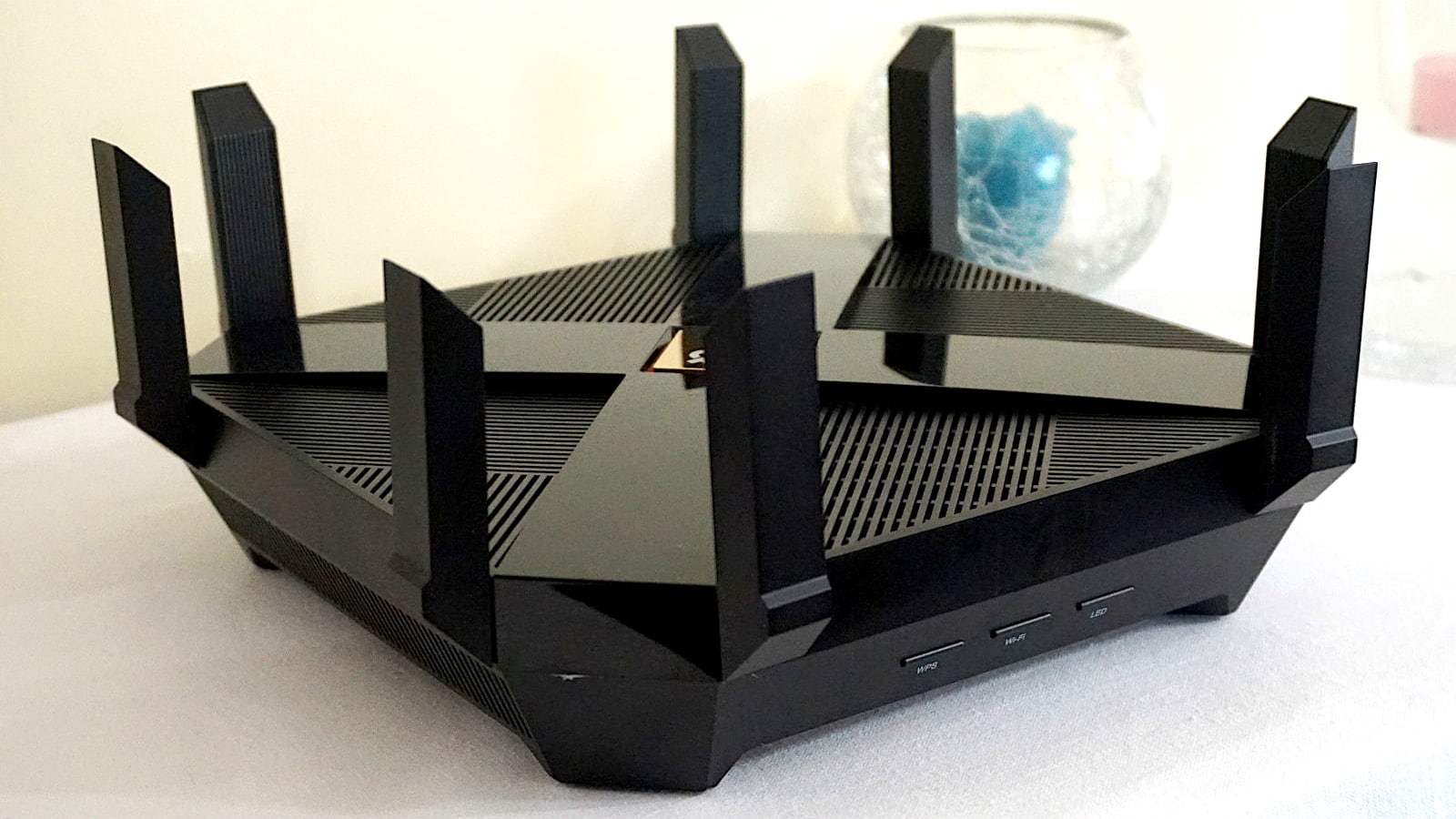
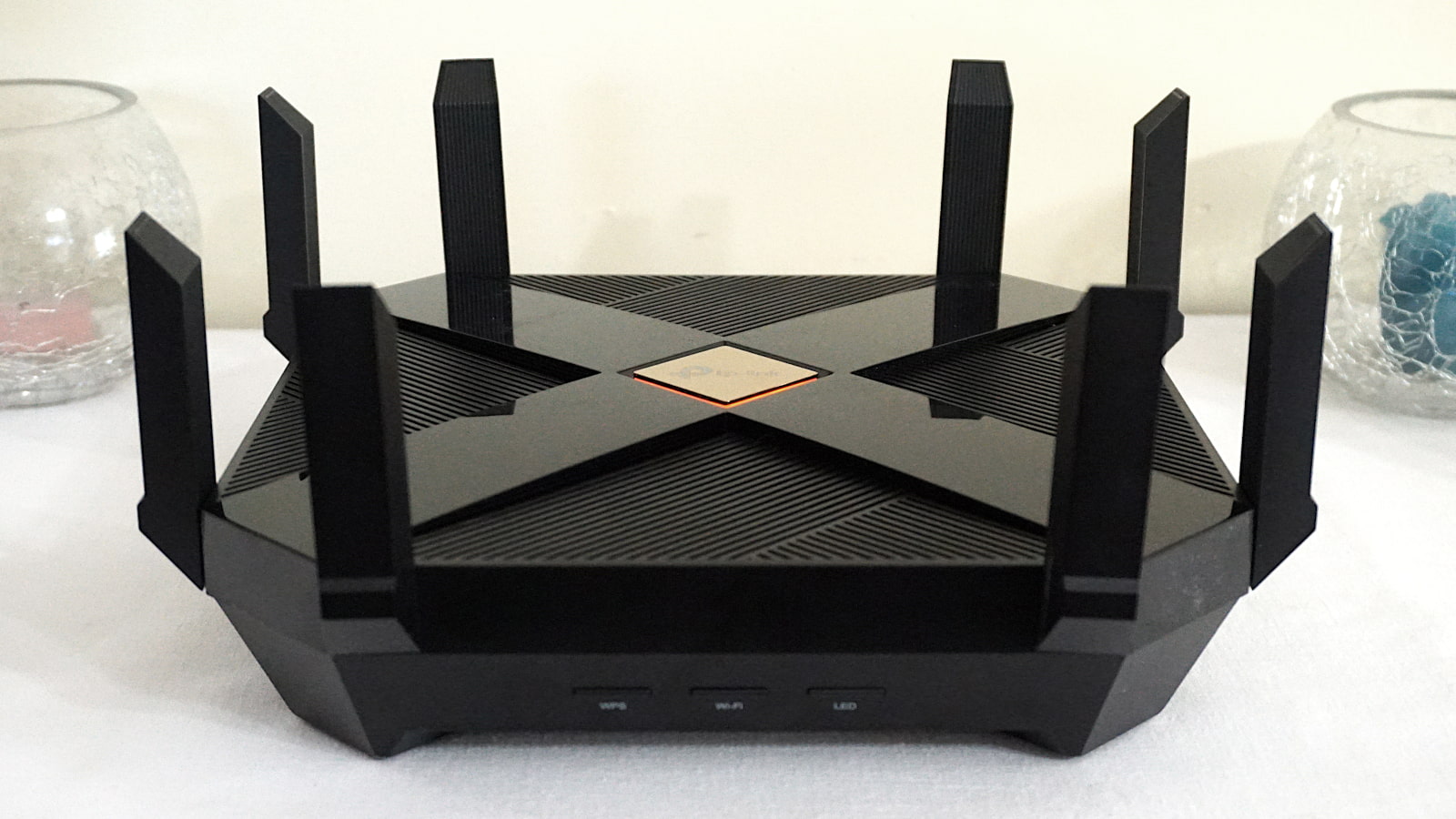
The ROG Rapture GT-AX11000 used to be our top pick for everything. It’s a bit old now, but it’s still a great buy. It has loads of connectivity, free security features, parental controls, and more.
What we wish it did better
We found the antennas problematic—at least on the model we purchased. No matter how hard we screwed the antennas into place, some of them fell over time.
Why we recommend it
The Rapture GT-AX11000 is an older gaming router, but it still holds its own. It has two 5 GHz radios to better balance all your wireless devices, support for 2Gbps internet, some notable gaming tools, and subscription-free features.
Specifications
Wi-Fi specs
- Standard: Wi-Fi 6
- Max throughput: 11,000Mbps
- Antennas: 8
- Streams: 12
- Bands: 3
Wired specs
- 1 Gigabit WAN ports: 1
- 2.5 Gigabit WAN/LAN ports: 1
- 1 Gigabit LAN ports: 4
- USB 3.2 ports: 2
* Read Amazon disclaimer.
Best for wired
Pros
Loads of wired connectivity
Free security and parental controls
Cons
No real gaming tools
No adjustable antennas
What we like about it
The Archer AX11000 is one of our all-time favorite routers. It has excellent tested speeds up close and at longer ranges. Plus, it’s fully loaded under the hood with free security and parental controls, mesh networking support, and more.
What we wish it did better
The Archer AX11000 has a game-centric interface but no unique gaming tools like a few others on this list.
Why we recommend it
The Archer AX11000 still offers great megabit-per-dollar value. It has great speeds complemented by a great set of features like free security and mesh networking. It’s also fully outfitted for wired connectivity with eight Ethernet ports and multi-gig internet support.
Specifications
Wi-Fi specs
- Standard: Wi-Fi 6
- Max throughput: 11,000Mbps
- Antennas: 8
- Streams: 12
- Bands: 3
Wired specs
- 2.5 Gigabit WAN ports: 1
- 1 Gigabit LAN ports: 8
- USB 3.2 ports: 1
* Read Amazon disclaimer.
Compare gaming Wi-Fi router benchmarks
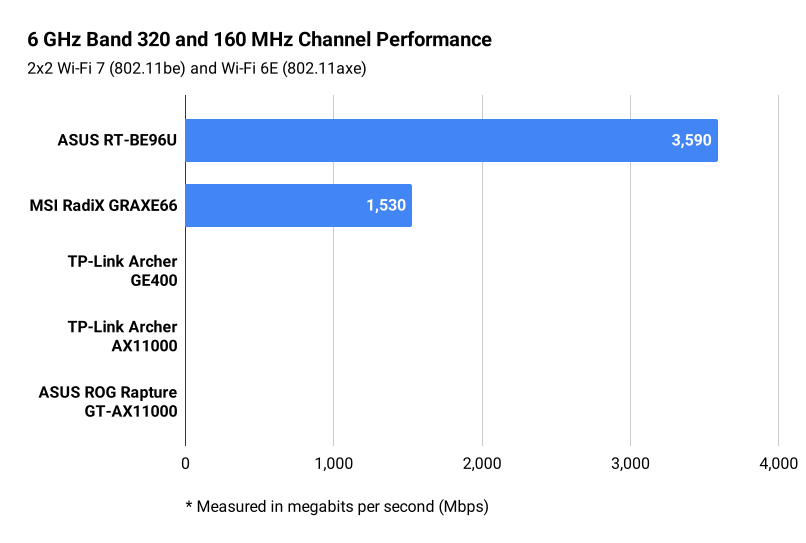
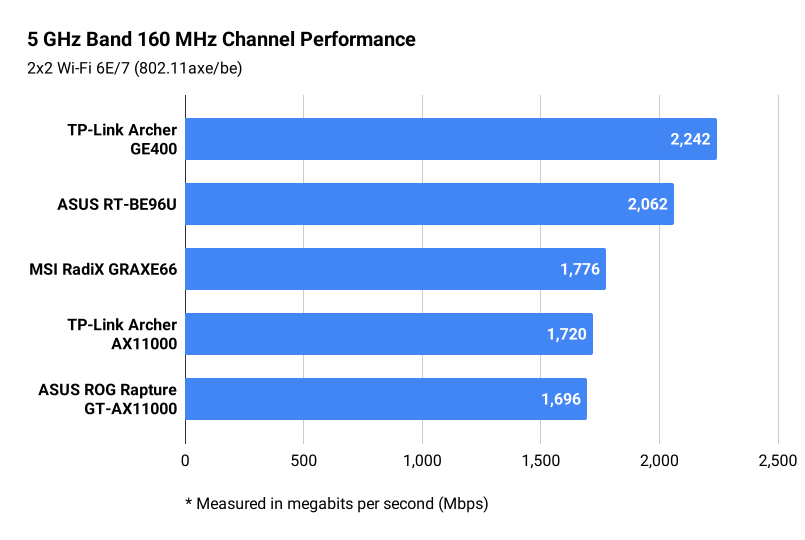
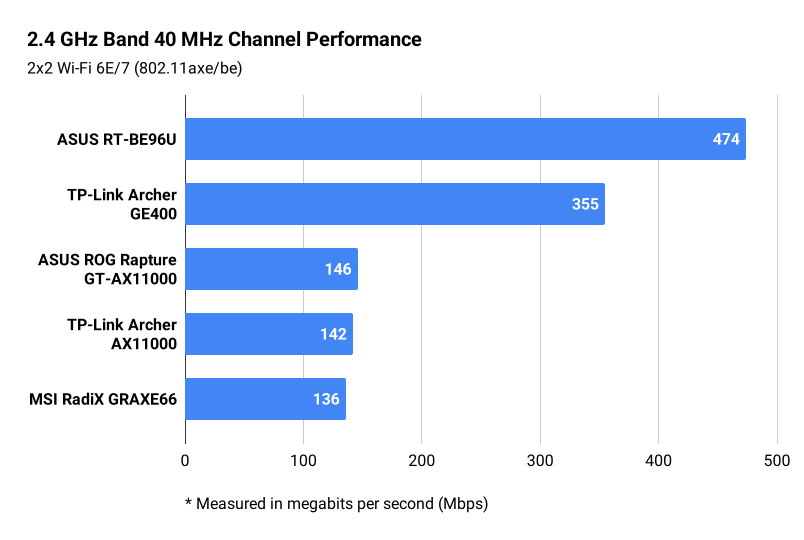
The ASUS RT-BE96U and the MSI RadiX GRAXE66 are the only routers on our list with a third 6 GHz radio, so they’re the only comparisons we could make in that space. The TP-Link Archer GE400 doesn’t even have a third radio, while the two AX11000 routers have a third 5 GHz radio.
6 GHz
5 GHz
2.4 GHz
Compare gaming Wi-Fi router specifications
The two AX11000 routers are based on Wi-Fi 6 and are a bit old, so they won’t have the same wireless performance as the newer Wi-Fi 7 ones. You’ll probably find them dirt cheap at this point, and even then, the TP-Link model could be used as an eight-port Ethernet hub if you buy a Wi-Fi 7 router later.
Overall, we tend to see gaming routers relabel standard settings as gaming ones, so the only unique features are in the visual bling and maybe some game-specific filters and port forwarding. The two NETGEAR Nighthawk XR routers we reviewed (but are not on this list) have a web UI designed for gamers, packing neat gaming tools we haven’t seen elsewhere.
| ASUS RT-BE96U | MSI RadiX GRAXE66 | TP-Link Archer GE400 | ASUS ROG Rapture GT- AX11000 | TP-Link Archer AX11000 |
|---|---|---|---|---|
| Max throughput: 18,000Mbps | Max throughput: 6,600Mbps | Max throughput: 6,500Mbps | Max throughput: 11,000Mbps | Max throughput: 11,000Mbps |
| Radios: 3 | Radios: 3 | Radios: 2 | Radios: 3 | Radios: 3 |
| Streams: 12 | Streams: 8 | Streams: 6 | Streams: 12 | Streams: 12 |
| Internet port: 10GbE | Internet port: 2.5GbE | Internet port: 2.5GbE | Internet port: 2.5GbE | Internet port: 2.5GbE |
| LAN ports: 4 | LAN ports: 4 | LAN ports: 4 | LAN ports: 4 | LAN ports: 8 |
| USB ports: 2 | USB ports: 1 | USB ports: 1 | USB ports: 2 | USB ports: 2 |
| VPN server: Included | VPN server: Included | VPN server: Included | VPN server: Included | VPN server: Included |
| VPN client: Included | VPN client: No | VPN client: Included | VPN client: Included | VPN client: No |
| Media server: Included | Media server: Included | Media server: No | Media server: Included | Media server: Included |
| Parental controls: Included | Parental controls: Included | Parental controls: Free, Premium | Parental controls: Included | Parental controls: Included |
| Security: Included | Security: Included | Security: Free, Premium | Security: Included | Security: Included |
| Mesh type: AiMesh | Mesh type: No mesh | Mesh type: EasyMesh | Mesh type: No mesh | Mesh type: No mesh |
| Get on Amazon | Get on Amazon | Get on Amazon | Get on Amazon | Get on Amazon |
Compatible internet providers
We selected the providers below based on their fastest plans. Note that any provider with an internet plan of 9.4Gbps and slower work with routers with a 10 Gigabit Ethernet port for internet. Routers with a 2.5 Gigabit Ethernet port for internet are not recommended for internet plans faster than 2.3Gbps.
| 2.3Gbps and slower * | 9.4Gbps and slower † |
|---|---|
* Around 2.35Gbps is your max wired speed after networking overhead when using a 2.5GbE port.
† Around 9.4Gbps is your max wired speed after networking overhead when using a 10GbE port.
Other gaming Wi-Fi routers tested and reviewed
Disclaimers
Amazon
Amazon.com Availability as of 2/19/26 17:35 MST. Product availability is accurate as of the date/time indicated and is subject to change. Any price and availability information displayed on Amazon.com at the time of purchase will apply to the purchase of this product. Highspeedinternet.com utilizes paid Amazon links.
CERTAIN CONTENT THAT APPEARS ON THIS SITE COMES FROM AMAZON. THIS CONTENT IS PROVIDED ‘AS IS’ AND IS SUBJECT TO CHANGE OR REMOVAL AT ANY TIME.
Speed test results
Our router and mesh system benchmark results are based on several factors, including:
- Router or mesh system configurations
- Client device configurations
- Local interference (neighboring Wi-Fi, radar, etc.)
- Local obstructions (walls, doors, etc.)
Our stated speed test numbers reflect the router-to-client connection only and do not include the internet. Reported speeds are not guaranteed. Your speeds will vary based on the list provided above.
Author - Kevin Parrish
Kevin Parrish has more than a decade of experience working as a writer, editor, and product tester. He began writing about computer hardware and soon branched out to other devices and services such as networking equipment, phones and tablets, game consoles, and other internet-connected devices. His work has appeared in Tom’s Hardware, Tom's Guide, Maximum PC, Digital Trends, Android Authority, How-To Geek, Lifewire, and others. At HighSpeedInternet.com, he focuses on network equipment testing and review.
Editor - Jessica Brooksby
Jessica loves bringing her passion for the written word and her love of tech into one space at HighSpeedInternet.com. She works with the team’s writers to revise strong, user-focused content so every reader can find the tech that works for them. Jessica has a bachelor’s degree in English from Utah Valley University and seven years of creative and editorial experience. Outside of work, she spends her time gaming, reading, painting, and buying an excessive amount of Legend of Zelda merchandise.
Related Posts