Here’s What Happened When I Canceled My Xfinity Plan
What to expect when canceling your Xfinity internet plan

Feb 11, 2026 | Share 


Brand Guides
A few months ago, I moved and had to cancel my Xfinity internet plan after only three months of service. I was on a 12-month promo plan and was expecting to be hounded and bombarded with retention offers for an hour. But to my surprise, Xfinity’s cancellation process wasn’t at all what I had expected.
Keep reading to see what happened when I picked up the phone to cancel my Xfinity internet plan.
How I canceled my Xfinity internet plan
I initially tried canceling using the Xfinity app—bold of me to assume I could slip away this easily, right? I, of course, was notified that I would either need to schedule a phone call or go to an Xfinity store. I opted for a phone call, and was surprised at the vast availability of times and days I could choose from. I ended up choosing a day and hour where I knew I would be able to talk for an extended period, just in case.
You can schedule a phone call online from a browser or through the Xfinity app. It only took me a few minutes to schedule my call.
Fast forward a few days later, I received a phone call from Xfinity right at the scheduled time.
Canceling my Xfinity plan over the phone
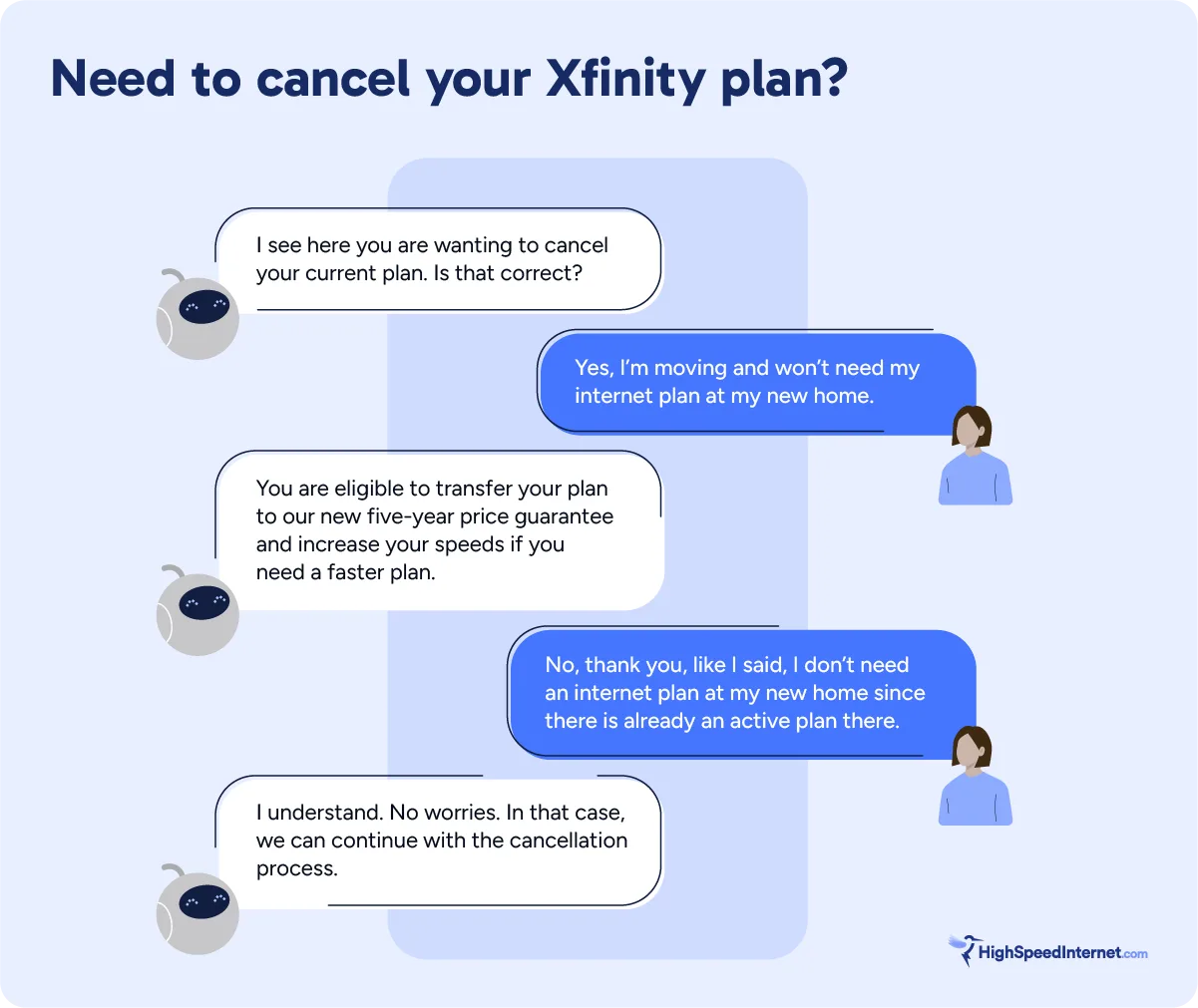
My phone call only took about 15 to 20 minutes total—and most of that time l involved waiting in line for my plan to be canceled. The agent began the call by collecting my account details and asking why I wanted to cancel. I told them I was moving and wouldn’t need an internet plan at my new home, so there was no possibility of transferring the service.
The agent explained that transferring service is simple and that any promotion you are on carries over to your new home. Since my plan was on 12-month promo pricing, the agent did offer me the new five-year promo pricing if I was interested in a transfer—which I absolutely would have signed up for if I could transfer my service. But I told them again I couldn’t transfer my service. Luckily, the agent understood and didn’t press me with any more retention offers.
I waited on the line while the agent canceled my plan, and that was it. The entire process was faster and easier than I had expected. After about 10 minutes, my plan was officially canceled. The agent explained that I would need to return my equipment by shipping it or dropping it off at an Xfinity store.
I opted to ship my equipment back, which entailed packing it in a box and dropping it off at a UPS store. Xfinity provides prepaid shipping labels if you choose to ship your equipment, so you won’t have to worry about paying for shipping yourself.
If I could do it all over again, I would opt for canceling in-person at an Xfinity store so I could cancel my plan and return the equipment at the same time. But if you can’t get to a store, the phone and shipping process was very simple. Overall, I was satisfied with the cancellation process I experienced with Xfinity.
Here’s a quick rundown of how my conversation with the Xfinity agent went.
Opt for canceling at an Xfinity store
If you’d rather cancel in-person, you can go to any Xfinity store near you. You can walk-in without an appointment, but I recommend scheduling an appointment ahead of time to make sure you aren’t waiting behind a long line. You’ll just click the Book an Appointment button on the Xfinity store you’re planning to go to.
The best part about going to an Xfinity store is that you can drop off your equipment while you’re there, so you won’t have to ship your equipment separately after your appointment like I did.

Looking to switch to a new internet provider?
Enter your zip code below to check out all internet plans and prices in your area.
Don’t forget any extra equipment
Whether you cancel over the phone or at an Xfinity store, you’ll need to return any equipment you got from Xfinity. I returned the Xfinity Gateway along with the Xumo Box I had received from Xfinity.
My Xumo box was set up in one of my spare bedrooms and was barely used, so it took some time to find the remote when it came time to get my package ready to ship. Be sure to track down all your Xfinity equipment, or you might get hit with an unreturned equipment fee of up to a couple hundred dollars. The agent I spoke with on the phone told me which equipment I had to return, but you should also be able to see all the equipment on your billing statements.
If you don’t need to cancel, you can leverage a new deal
If you’re canceling because you’re unhappy with your bill or speeds, or if you’re experiencing frequent outages, you can take the cancellation process as an opportunity to negotiate a better deal if you are willing to stay with Xfinity. You can always ask your agent to review plan offerings with you to see if one better fits your budget. Sometimes, agents can offer promo pricing if it’s available. Better yet, be ready with any internet deals in your area to use as counteroffers. And remember, you catch more flies with honey than vinegar. Be nice to your agent, and your negotiations will go a lot smoother.
Of course, this isn’t helpful if you’re moving to an area where your provider won’t be available. But if you are open to keeping your provider, it’s worth a shot.
Overall, Xfinity was great, and canceling was easy
I’ve used Xfinity’s internet service for over a decade, even if only the last few months were under my own account. I never experienced reliability issues, and my speeds were always solid. I can’t say I’m not getting FOMO after seeing Xfinity announce its new customer rewards program, Xfinity Membership. Still, it’s nice knowing that the cancellation process is simple if I ever end up signing up for Xfinity again.
Author - Andrea GutierrezPrieto
After graduating from the University of Utah with an honors degree in Linguistics, Andrea Gutierrez Prieto transitioned from being an Analytic Linguist and Research Assistant to the HighSpeedInternet.com team. Andrea has a background in academic and research writing with a passion for helping readers make informed decisions. Off the clock, Andrea spends her time watching anime, reading manga, and baking delicious pastries at home.
Editor - Jessica Brooksby
Jessica loves bringing her passion for the written word and her love of tech into one space at HighSpeedInternet.com. She works with the team’s writers to revise strong, user-focused content so every reader can find the tech that works for them. Jessica has a bachelor’s degree in English from Utah Valley University and seven years of creative and editorial experience. Outside of work, she spends her time gaming, reading, painting, and buying an excessive amount of Legend of Zelda merchandise.
Related Posts