Category: FAQ

by Kevin Parrish | Oct 3, 2025 | FAQ, How-To, Internet Speed Guides
Your Wi-Fi may be slow due to a number of reasons, including issues with your internet...

by Kevin Parrish | Sep 13, 2025 | FAQ, Technology
A router is a device that typically uses an Ethernet cable to connect to a modem...
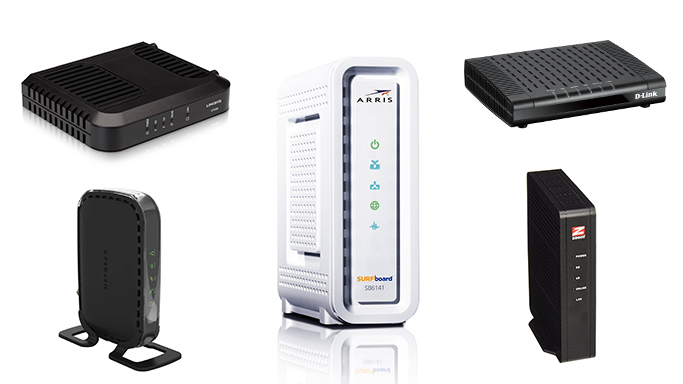
by Kevin Parrish | Sep 12, 2025 | Equipment Guides, FAQ, Home Networking
Find out what brings your internet connection into your home or office.

by Peter Christiansen | Sep 5, 2025 | Brand Guides, FAQ, Low-Income
With the Affordable Connectivity Program ending, customers can still get assistance on their internet bill through other programs.

by Andrea GutierrezPrieto | Aug 28, 2025 | FAQ, Technology
How to find your IP address on any device with helpful instructions.

by Andrea GutierrezPrieto | Aug 26, 2025 | Equipment Guides, FAQ, How-To
Find the best way to get your car connected to internet access on the go.

by Peter Christiansen | Aug 19, 2025 | FAQ
Broadband is another term for high-speed internet access, initially used to differentiate services like DSL and...

by Chili Palmer | Aug 18, 2025 | FAQ, Internet Speed Guides
Take a quick speed test, then learn what the results mean and get troubleshooting tips.

by Kevin Parrish | Aug 12, 2025 | FAQ, Featured
Keeping your router in a closet? Using the same old equipment? These are just a few of the things that can slow your Internet down.

by Andrea GutierrezPrieto | Aug 12, 2025 | FAQ
Learn how to lower your internet bill with our helpful money-saving tips.

by Chili Palmer | Aug 7, 2025 | Brand Guides, Equipment Guides, FAQ
If you’re shopping for a new Internet Service Provider (ISP), you’re probably wondering about the installation process. How long does it take? Will you need to drop a bunch of cash for a professional installation? Or can you just do it yourself? We’ll answer all those questions and more in this guide to CenturyLink installation.

by Peter Christiansen | May 1, 2025 | FAQ
Internet connections are often talked about in terms of maximum speed and ideal conditions, but in...